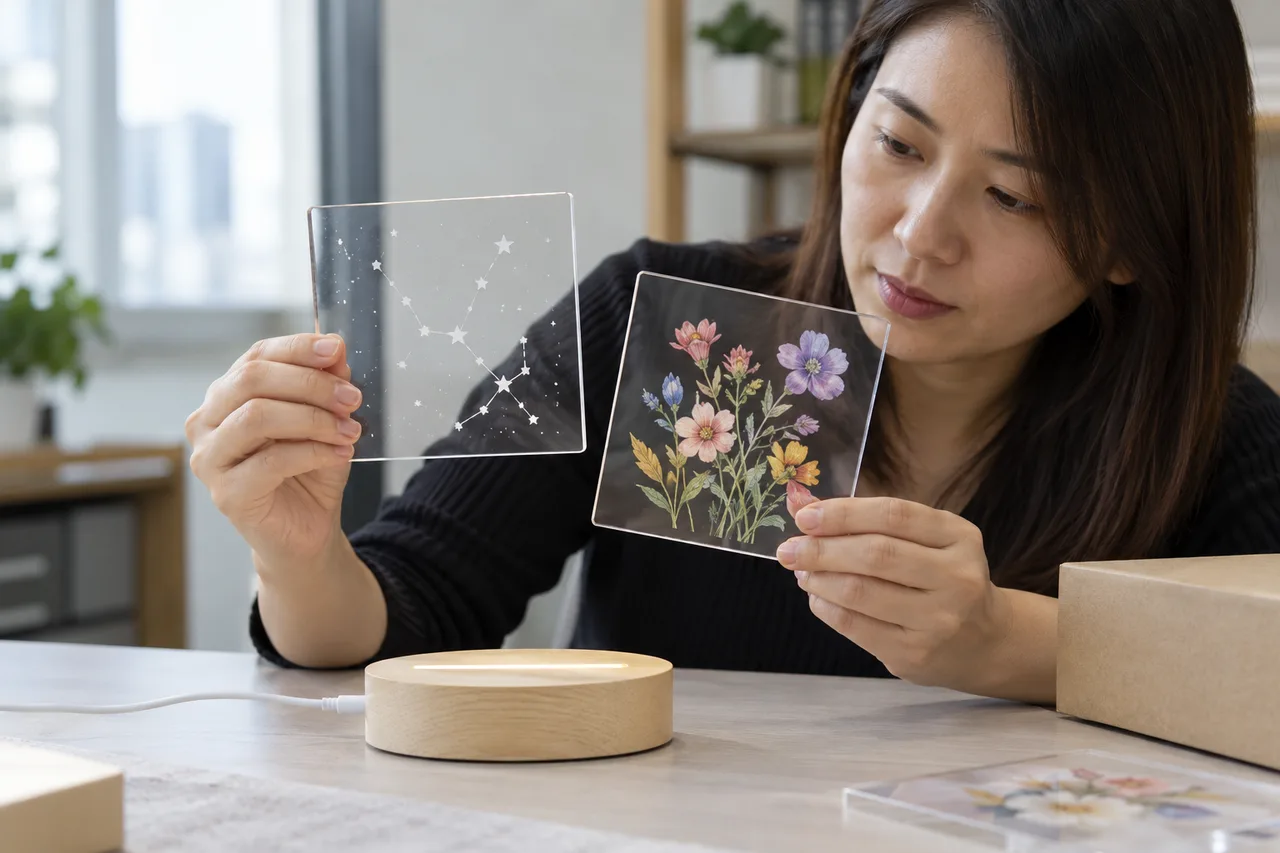
Compare the final physical effect in both lighting states
Choose engraving or printing from the intended graphic role and the actual sample. Engraving changes the panel surface; printing adds an ink system to a surface. Either method can affect appearance, drawing, cleaning, and manufacturing. Review the specified acrylic, artwork, lighting, print or engraving method, and supplied care instructions before approving a custom configuration.
1. Define what the permanent graphic should do
Start with the graphic's role: brand identity, fixed outline, activity prompt, decoration, or display message. The intended role determines whether a permanent feature helps the customer or restricts reusable drawing.
A fixed outline can make a product recognizable, but it may also occupy part of the panel that the user expects to erase and redraw. Ask the product team to mark the permanent and reusable areas on a drawing. State whether the customer is meant to trace, color around a design, create free drawings, or use the panel as a display. These are different activities and should not be combined into an untested feature promise.
For private label, decide whether the logo belongs on the acrylic, base, packaging, or insert. A small base mark may achieve brand recognition without changing the drawing surface, while a permanent panel graphic changes the product experience more directly. Review available custom design options and ask the supplier to identify the actual methods offered for the selected model. A visual concept is the start of a discussion, not a production specification.
For an activity-led product, sketch how the user interacts with the permanent design before discussing production cost. A generic rocket outline might invite coloring around fixed lines, while a blank panel supports free drawing. These are illustrative design directions rather than evidence of a successful project. Ask the buyer's product team to choose the intended activity and review it with the actual size and shape.
- Define the permanent graphic's purpose.
- Mark permanent and reusable drawing areas.
- Choose the branding location before selecting a process.
2. Understand engraving as a material change
Engraving creates a physical feature in or on the panel surface. Its appearance depends on material, geometry, process, artwork, and lighting, so it needs a physical sample rather than only a digital proof.
A digital line can become a wider, rougher, or visually different feature after fabrication. Ask the manufacturer to explain the proposed engraving method and what it can reproduce on the chosen sheet. Review fine lines, filled areas, intersections, and small decorative details on an actual sample. Do not infer a minimum feature size or optical result from another supplier's artwork or a sheet manufacturer's general brochure.
The ACRYLITE technical information discusses fabrication and cleaning for its own print-oriented materials, including restrictions for a particular markerboard coating. That supports requesting material and process information. It does not prove that a particular panel is annealed, uses that brand, or has passed a durability test. Ask for the actual configuration and evidence for the supplier's proposed method.
Use the Rocket LED Fluorescent Board as a model reference only after confirming its available customization options. Do not assume a standard product page means engraving, printing, or a particular graphic treatment is offered on that model. Ask which physical proof the factory can prepare and which material or process details it can substantiate for the proposed custom order.
- Review fine and filled artwork physically.
- Identify material and engraving method.
- Keep process descriptions separate from unverified performance claims.
3. Understand printing as an ink-and-surface system
Printed graphics depend on the ink, surface preparation, curing, print location, and acrylic grade. A color PDF does not prove adhesion, care compatibility, or final illuminated appearance.
Approve color, surface behavior, and use context
Ask which side is printed and whether the print will be touched by users or cleaning cloths. A second-surface print can have a different appearance and protection arrangement from a first-surface print. The manufacturer should identify the actual ink and process information it can support. If an opaque white layer or backing is proposed, show it in the sample and explain how it changes transparency and the user's drawing area.
A sample proof should use the intended print process on the intended material. A paper proof is useful for copy and rough composition but cannot establish the finished acrylic color, texture, or optical effect. Review adhesion or rub behavior only under an appropriate agreed method; do not invent a pass criterion or assume that a commercial printing label establishes toy safety. Any accessible ink or coating also belongs in the relevant product-safety review for the destination.
Color approvals should distinguish the designer's file, a paper reference, and the printed acrylic sample. Lighting and background can change the apparent color of a transparent print. Agree the viewing condition and reference that control acceptance. If the project needs a specified color tolerance, a qualified provider should define the method and feasibility rather than treating a screen preview as an objective production standard.
- Identify print side, ink process, and exposed surface.
- Use a physical acrylic print proof.
- Confirm care and product-safety evidence separately.
4. Review the design with light on and off
Permanent graphics can look different when the panel is illuminated, viewed against a background, or seen from the opposite side. Review each intended state with the actual base and lighting modes.
Use a simple viewing brief with the model, base, mode, background, room light, and orientation. Examine whether small lines remain visible, whether colors shift in appearance, and whether the drawing area is easy to understand. For transparent products, the background behind the board can influence contrast. Record observations rather than promising a specific luminous effect from a digital rendering.
The edge-lighting reference explains that optical behavior depends on sheet design and light extraction. A printed or engraved sample should therefore be viewed as a whole with its base. Keep product photography consistent enough to compare candidates, and do not let exposure or artificial glow in a render become the acceptance standard for production.
Check whether an engraved or printed feature is intended to be seen from one side or both. A word, symbol, or asymmetric image can appear reversed through a clear panel, and a second-surface treatment may change how the front looks. Provide the factory with a labeled orientation diagram and verify it physically. This prevents a technically tidy proof from representing the wrong consumer-facing side.
- Review lit, unlit, front, and reverse views.
- Record background and selected light mode.
- Use real sample appearance as the approval reference.
5. Prepare artwork files and rights before sampling
The factory needs controlled artwork, dimensions, orientation, approved content, and usage rights. A screenshot from a marketplace is not a reliable production file or evidence of permission to reproduce a design.
Supply an editable file in the format the factory confirms it can use, along with a reference PDF showing scale, position, intended line weight or color treatment, and the product orientation. Identify fonts and linked images and obtain the necessary licenses. If the graphic includes a third-party character or trademark, the brand owner should provide authorization for the actual manufacturing and sales use. Ask a qualified adviser about uncertain rights.
Follow the artwork approval checklist to establish revision control. Name the file version, model, artwork owner, proof reviewer, and release date. Keep source files separate from the approved production package. If the factory adjusts a graphic for manufacturability, review the changed physical proof and log the accepted revision rather than assuming that a technical adjustment cannot alter appearance or rights.
Keep intellectual-property permission connected to the manufacturing file, quantity, territory, and sales channel that it covers. A license for a marketing image may not grant the right to reproduce the same design on a product. The brand owner should ask its adviser about the actual permission required, and the factory should receive only artwork released for the proposed production use.
- Provide editable artwork plus a scale reference.
- Confirm rights for actual manufacturing and sales use.
- Keep a named final revision and approval owner.
6. Check the permanent graphic during drawing and care
A graphic should support the intended activity and survive the approved care routine within the evidence available. Test how users distinguish erasable marks from permanent design on the actual sample.
Ask a new user to follow the draft activity instructions. Observe whether they draw on the intended face, whether a fixed line is mistaken for a mark to remove, and whether the permanent artwork blocks important working space. If the product is meant for free drawing, a strong fixed image may change its role in the assortment. Record that as a product decision rather than treating every decorative addition as an automatic improvement.
Review cleaning with the finished-product maker's approved method. Ink, coatings, engraved areas, and adjacent base materials can require a specific care approach. A brief sample observation does not establish indefinite abrasion resistance or universal cleaner compatibility. If the buyer needs a durability claim, agree an appropriate method and acceptance criteria with a qualified provider. Include the permanent graphic and its care implications in the product file and consumer instructions.
A useful sample activity asks users to distinguish fixed features from their own marks. Record whether they try to erase a permanent line or draw on a face the instructions did not intend. Such observations can improve the product and insert without asserting an educational outcome. If the design is changed in response, review the new proof and care interaction before calling the earlier sample approved.
- Observe a new user's understanding of permanent versus erasable areas.
- Review the actual care routine.
- Substantiate any durability claim with suitable evidence.
7. Release production using the sample and process record
The production reference should identify the model, material, artwork revision, fabrication method, approved physical proof, and acceptance scope. Inspection should compare the supplied goods with that released record.
Keep a retained physical sample or controlled photographs that show the accepted feature under the recorded viewing conditions. Identify which differences are acceptable and which need buyer review, such as position, missing lines, wrong orientation, damaged print, or an unapproved process substitution. Criteria should be appropriate for the product and agreed in advance. Avoid vague instructions to match the render perfectly when the render depicts an effect that cannot be reproduced physically.
Factory testing can document agreed checks of graphic identity, placement, visible condition, and the sample's normal operation. Shipment inspection can check artwork and packaging versions on sampled goods. Neither record automatically establishes chemical safety or a claimed lifetime. Require notice before switching sheet, ink, engraving settings, or artwork files in a way that can change the released product, and route proposed changes to the responsible buyer reviewers.
For production control, identify whether the artwork file or manufacturing setup is the main repeatability reference and what evidence the factory can retain. A machine-setting record alone does not guarantee identical appearance across different sheets or light bases. The buyer should agree observable criteria, retain the accepted sample, and request notification of process changes that could affect the released result.
- Release one named sample and process version.
- Agree observable appearance criteria.
- Require review of process and material changes.
| Decision | Engraved graphic | Printed graphic |
|---|---|---|
| Physical feature | Material surface is altered | Ink system is added to a surface |
| Key proof | Actual engraved material and lit sample | Actual print process on the intended sheet |
| Use review | Drawing area and textured feature | Exposed print and cleaning interaction |
8. Conclusion: choose a method through a physical proof
Engraving and printing can each serve a custom product, but the right choice depends on the graphic role and the finished sample. Approve appearance, use, care, rights, and process together.
A strong customization brief can be concise: what remains permanent, what the user draws, which face they use, how the product is viewed, and how it is cleaned. It gives the factory a realistic task and gives the buyer a clear approval basis. Compare the methods without assuming that one is always cheaper, brighter, more durable, or more suitable for every market; those conclusions need the actual configuration and quotation.
For LumDigi, send the model or shape, intended activity, permanent artwork concept, brand location, lighting expectations, target market, and quantity scenario. Ask which customization methods are available and what physical proof can be prepared. Confirm the actual process and product facts before committing to packaging or launch images. An approved sample gives the next production conversation a concrete reference.
When comparing quotes, keep the same graphic, panel, process, sample work, pack, and quantity scenario. A lower quote may cover only an unlit appearance sample or a different print construction. Ask suppliers to state assumptions and open points instead of predicting a universal cost ranking between engraving and printing. The final commercial decision should follow a physical proof and a clearly described production scope.
- Choose the graphic's function before its process.
- Approve a real lit and unlit proof.
- Carry rights, care, and process records into production.
Frequently asked questions
Is engraving always brighter than printing on acrylic?
No universal ranking is justified. Visible effect depends on the material, graphic, light coupling, base, mode, and viewing conditions. Compare physical samples with the intended design in both lit and unlit states, and avoid assigning a numerical brightness advantage from a render or photograph.
Can permanent artwork reduce the reusable drawing area?
It can change how the panel is used. Mark permanent and reusable zones in the brief and observe a representative activity on the sample. The result may support a guided activity, decoration, or branding, but the buyer should confirm that it fits the intended product role.
Is a digital artwork proof enough for production?
A digital proof can approve composition, text, and rough position. It cannot establish the finished acrylic's optical effect, print behavior, or engraved surface. Use a physical proof made with the intended process and connect it to the approved file revision before release.
Image planning for this topic
These notes document the role and intended context of the two visuals used in this guide.
Compare permanent artwork methods
- Placement
- hero
- Caption
- Illustrative AI-generated photograph: two clear acrylic samples show an engraved line graphic and a separate printed color graphic.
- ALT text
- Buyer comparing laser-engraved line art and printed color art on clear acrylic samples
View AI image direction
Use case: photorealistic-natural. Asset type: editorial image for a LumDigi B2B LED drawing board article. An adult Asian private-label buyer compares two small transparent acrylic panels on a neutral table: one has a subtle frosted engraved generic star constellation and one has a modest surface-printed generic multicolor flower. An unbranded LED base sits nearby. Show believable material differences without text or logos. Landscape 3:2, real acrylic textures, modest natural light, candid professional photography. If workers appear, they are Chinese/Asian adults. No invented logos, certification marks, readable documents, numerical test results, watermark, or text overlay. Show an illustrative procurement or sample-review scene, not proof of an actual test or shipment.
Show approval of actual panel artwork
- Placement
- after-second-section
- Caption
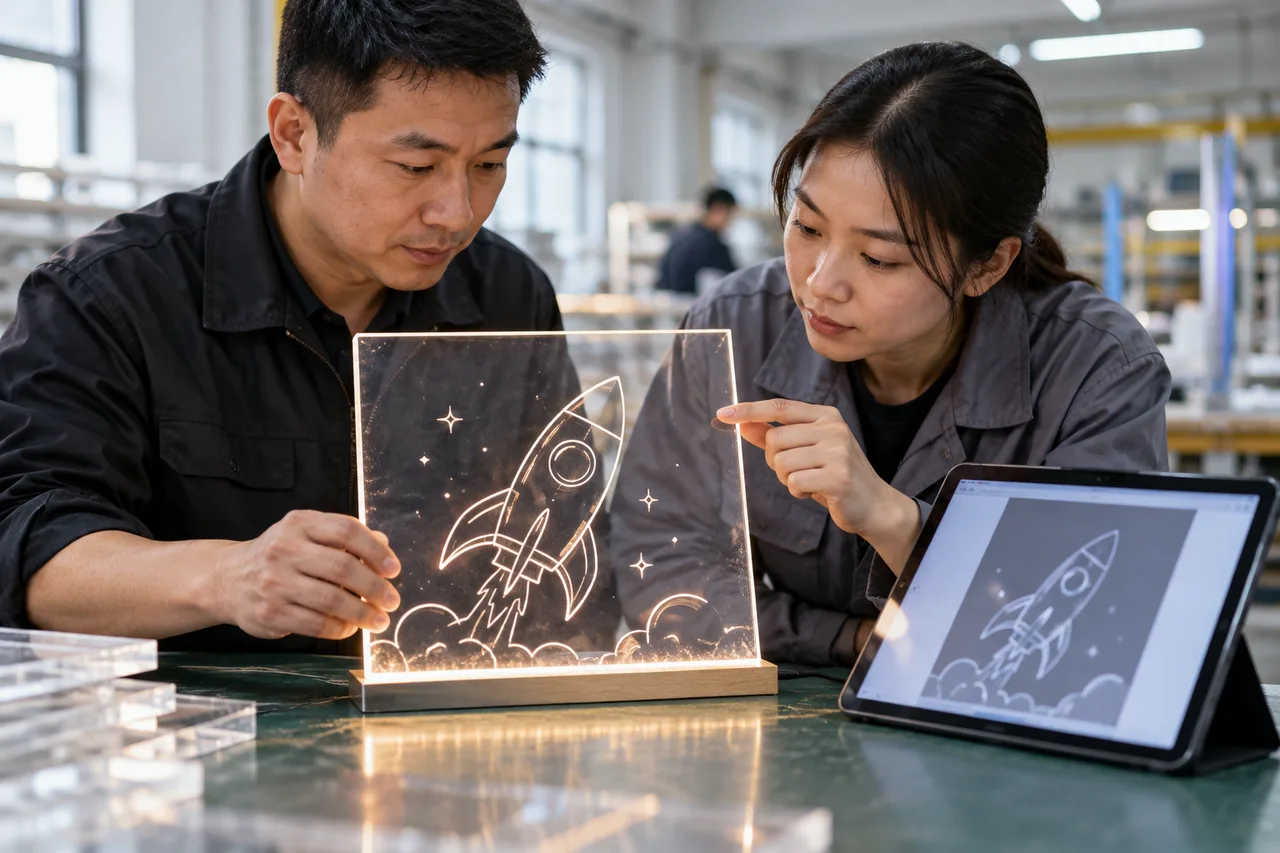
- Illustrative AI-generated photograph: Chinese sample staff compare a lit panel with its plain artwork proof.
- ALT text
- Chinese factory staff reviewing a lit engraved acrylic board and artwork proof
View AI image direction
Use case: photorealistic-natural. Asset type: editorial image for a LumDigi B2B LED drawing board article. Adult Chinese sample staff inspect a clear LED acrylic panel with a simple generic engraved rocket outline, next to an abstract blurred vector proof on a tablet. Candid factory sample bench, sparse realistic engraving and restrained glow, no commercial character or logo. Landscape 3:2, real acrylic textures, modest natural light, candid professional photography. If workers appear, they are Chinese/Asian adults. No invented logos, certification marks, readable documents, numerical test results, watermark, or text overlay. Show an illustrative procurement or sample-review scene, not proof of an actual test or shipment.
Turn the article into a practical sourcing brief
Use the checkpoints above to document the product, evidence, packaging, and approval decisions relevant to your market. A clear brief helps suppliers respond to the same commercial question and gives your team a traceable basis for the next step.
Useful external references
- ACRYLITE: digital-print sheet technical information
Material-specific guidance on printed sheet, fabrication, cleaning, and surface limitations.
- ACRYLITE: edge-lighting technical information
Primary context for light guiding and material-dependent light extraction.
LED Drawing Board Artwork Approval Checklist for Private-Label Buyers
A practical B2B guide for private-label buyers, brand managers, and packaging reviewers who need to review logo use, product graphics, packaging files, variant identity, and production proofs without allowing visual changes to hide configuration mistakes.
Read article
LED Drawing Board Artwork Licensing Guide for Private-Label Buyers
A practical B2B guide for private-label brands, promotional distributors, corporate-gift buyers, and licensing teams who need to treat artwork rights, permitted uses, version control, and factory instructions as a documented buyer responsibility before putting a mark or character design into production.
Read article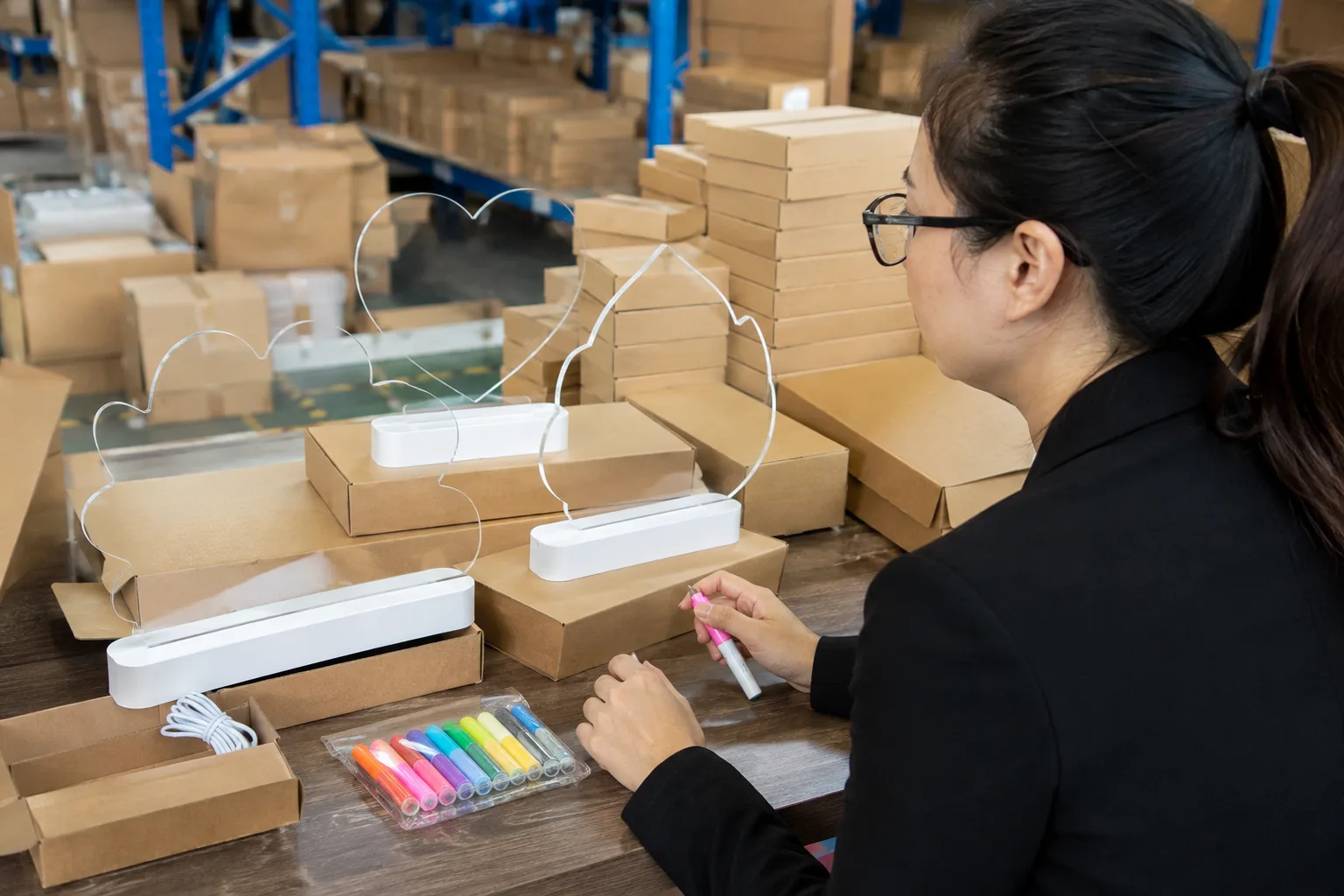
LED Drawing Board Custom Shape Prototype Review Guide
A practical LumDigi guide for brands, gift buyers, and product-development teams who need to review a custom-shape prototype against a controlled brief, panel, base, pack, and approval record.
Read article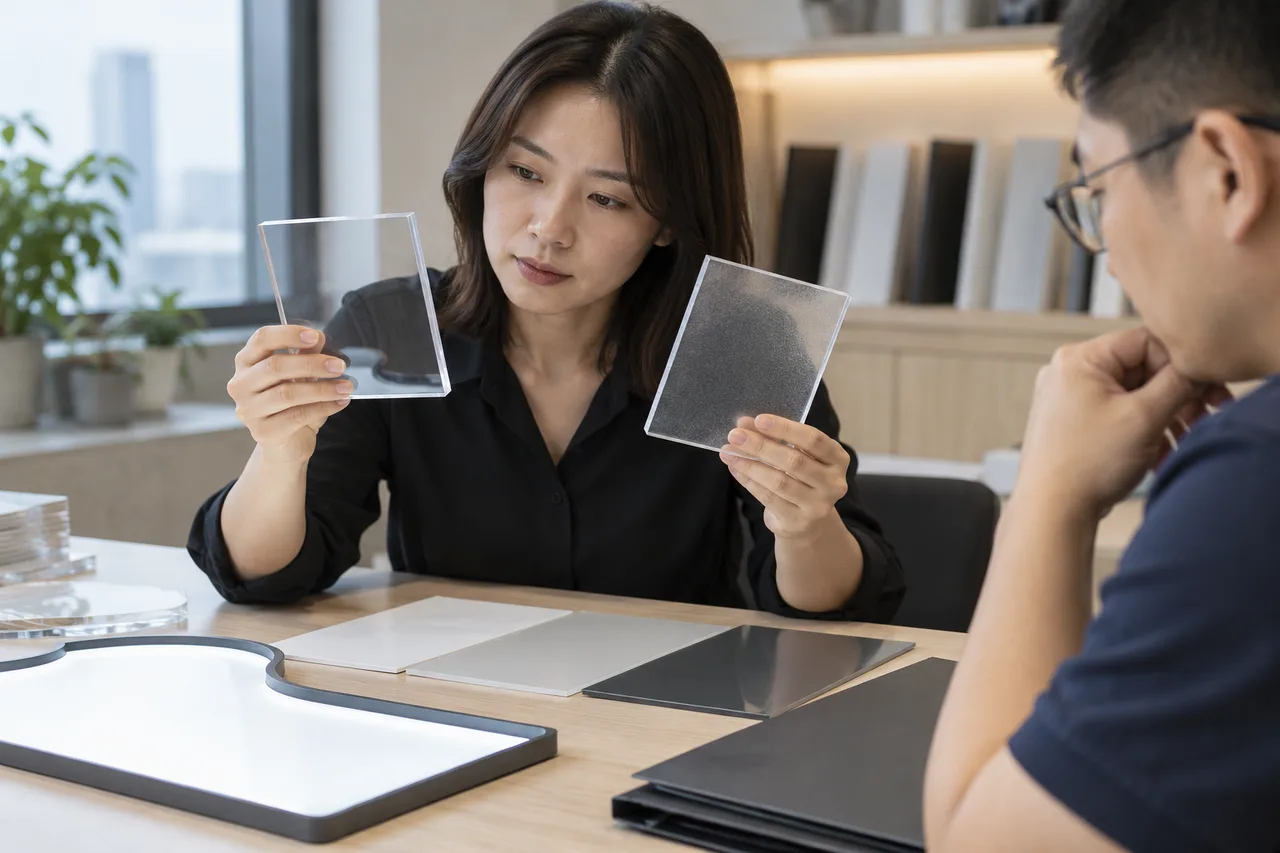
Virgin vs Recycled PMMA for LED Drawing Boards: What a Materials RFQ Should Verify
A material-selection guide for brands considering recycled acrylic without assuming equal performance or unsupported environmental benefits.
Read article