
Use digital help to support an approved physical information plan
Keep the physical information required for the product and destination, and use a QR-linked page for supplementary model-specific help. Confirm legal placement requirements with the responsible market reviewer. Define a durable URL, language path, model and revision, offline fallback, and content owner before printing a code on packaging.
1. Decide which information must accompany the physical product
A QR code is a way to reach a page; it does not by itself change legal requirements for warnings, identity, or instructions. Build a destination-specific information plan before reducing printed material.
Ask the responsible importer or product reviewer to map each information requirement to the permitted location: product, packaging, accompanying document, listing, or digital page where allowed. The UK toy instruction provision illustrates why wording, visibility, language, and purchase-stage warnings need specific review. Requirements differ by product and jurisdiction, so a generic QR-only policy is not an adequate basis for packaging approval.
Keep the planned consumer journey visible. The customer may open the box without a phone, lose network access, or receive the product second hand. Decide what the user needs to identify the model, understand basic operation, and find help without making assumptions about connectivity. The approved plan should retain required information and add online support where it improves understanding. It should not remove a physical warning merely because the same wording appears on a website.
Create a requirement register with the information item, legal or technical source, approved wording, language, permitted location, and reviewer. The buyer can then see which information is mandatory, which is a manufacturer instruction, and which is optional help. Keep this register with the final package rather than treating the web page as a place to hide unresolved copy. The responsible market reviewer should confirm the actual allocation.
- Map requirements to permitted locations.
- Confirm language and pre-purchase visibility.
- Provide an appropriate offline route to essential product information.
2. Give the digital page a clear support role
Use a model-specific page for supplementary setup explanations, diagrams, care guidance, and support contact. Avoid sending a product-help code to a generic sales page that cannot identify the board.
List the questions the page should answer: what is included, how the panel fits the base, which power arrangement belongs to the model, which markers are approved, and how the product is cared for. Use current images of the supplied configuration. A short operating video can help if it accurately represents the model and does not introduce an optional accessory as part of the retail set.
Keep commerce and support priorities sensible. Customers scanning an instruction code should reach the relevant help content quickly. A promotion popup, account wall, or large unrelated catalog can make a basic setup task harder. Give the support page an obvious product identifier, language choice, and contact path. If the model has multiple revisions, state which instructions apply before asking the user to follow them.
Use the A4 Desktop LED Fluorescent Board as a concrete model reference when planning a support page, and confirm its actual supplied contents. A generic page for every board may not explain the correct base, power, or care arrangement. Ask the product owner to approve the configuration shown and identify which revisions can legitimately share the same instructions.
- Open the correct model's help page.
- Use actual supported power and care information.
- Make core help accessible without an unnecessary account barrier.
3. Own the URL and its long-term destination
The brand should control a durable address and a process for changing its destination without losing the connection from printed packaging. A short-lived campaign link is a weak support asset.
A printed code creates a continuing support dependency
Choose a domain and path the responsible brand can maintain, and document who controls DNS, redirects, hosting, and content. A printed code cannot be edited after the box reaches the customer. If a third-party QR service or URL shortener is used, review its terms, continuity, and account ownership before relying on it. Plan how existing codes continue to work if the website is rebuilt or the supplier relationship changes.
A simple URL can link to ordinary product help; a standards-based identifier may support more structured needs. The GS1 Digital Link standard defines a way to express GS1 identifiers in web addresses. Using it requires the correct identifiers and implementation; a QR graphic alone is not evidence that a pack follows the standard or satisfies a regulatory digital-passport requirement. Choose the approach from the actual information and retailer needs.
If the brand uses a contractor's QR platform, document how the domain and redirects can be transferred and what happens if the subscription ends. A code printed on long-lived packaging creates a continuing dependency. The procurement agreement should identify the owner of the destination and the released link, with a practical process for keeping old packs connected to correct information after a website rebuild.
- Use an address controlled by the responsible brand.
- Document redirect and account ownership.
- Distinguish a simple support link from a standards implementation.
4. Connect model, revision, language, and market
The page must identify the exact product and instructions that apply. A single link should not silently replace older model guidance with incompatible information for a new version.
Create a map from model and package revision to help-page revision. Include the board, base, power, included items, marker references, care method, and target languages. If several variants share instructions, document the basis and show the differences clearly. A new rechargeable variant should not inherit instructions written for a USB-only unit without review. Product identity matters more than keeping the smallest possible number of web pages.
Have translators work from approved source text and final model images. Test language selection without forcing a customer into an unsupported market version based only on browser location. Keep previous instructions available where customers may still own earlier units. The multilingual packaging guide provides the wider language-control process; the digital page should use the same approved facts and revision owners.
Avoid silently replacing an older product's instruction page with a new version that uses different controls or power parts. Keep an accessible route for earlier models and use plain identifiers that a customer can find on the product or packaging. If a page offers several versions, explain how to choose. The content owner should review this selection path with someone who has not worked on the product.
- Map packaging and help-page revisions.
- Show configuration differences explicitly.
- Retain appropriate help for earlier supplied models.
5. Test the physical print and the complete customer path
Review a code on the actual packaging proof and test the destination using representative devices, lighting, and networks. A code that works on a designer's screen may still fail on the finished pack.
Ask the packaging provider to confirm the appropriate code size, contrast, quiet space, and print method for the chosen design. Avoid placing it across folds, curved features, reflective finishes, or areas likely to be obscured. Use the relevant barcode or code specifications if the implementation requires them; do not invent a universal minimum size. Test the printed proof before approving mass production.
Follow the path as a new customer: scan, open, choose language, identify model, find setup, read care, and reach support. Confirm that redirects work and that links do not lead to a staging site or a supplier's private account. Record the proof version, page revision, test date, and issues found. Repeat relevant checks if the artwork, domain, page structure, or code generator changes.
Test the final code after the carton is folded, finished, and packed. Reflections, folds, print contrast, and a retail sticker can affect the scan path. Record the actual proof and devices used without treating a small convenience trial as a certification of universal readability. Where a formal barcode specification applies, use the appropriate provider and method to verify it.
- Test a real printed proof.
- Check the whole support path, not only scanning.
- Retest after artwork or destination changes.
6. Keep future EU toy-passport planning distinct from today's pack
The European Commission states that the new Toy Safety Regulation applies from 1 August 2030. Its digital-passport requirements should be planned from the actual regulation and implementing details, not treated as a universal 2026 QR-code mandate.
The Commission announcement describes the future digital product passport and its application date. A brand can prepare product data ownership, model identification, evidence organization, and durable digital infrastructure now. That preparation is useful, but an ordinary help page is not automatically a compliant product passport and should not be labeled as one without appropriate review.
Keep current requirements and future development tasks in separate columns of the project plan. Ask the EU responsible party to monitor applicable legal texts, transition provisions, and technical implementation. Do not add invented passport fields, identifiers, or certification badges to the retail pack. For the present launch, follow the current product and market information requirements while designing data systems that can be updated responsibly.
Future passport planning should begin with reliable product identity and controlled evidence rather than a decorative badge. The brand can document who owns technical data, where revisions are retained, and which external systems may need it. Keep current official legal developments under review. Do not promise a future compliant passport from an ordinary support-page project before the applicable requirements and implementation are established.
- Use the confirmed application date and current official text.
- Avoid calling an ordinary help page a compliant passport.
- Prepare product data ownership without inventing future rules.
7. Maintain the page as a product support record
Assign a content owner, approval workflow, link check, and revision history. A support page should remain accurate after the original launch team or website contractor changes.
Define who can change setup steps, warnings, care instructions, images, and contact information. Safety or technical changes should follow the appropriate review, not a routine marketing edit. Keep a record of what changed and which product revisions it affects. If an issue requires a recall or corrective action, the responsible party should follow the applicable process; a quiet web edit is not a substitute for required notification or customer action.
Check links and key pages periodically and after website migrations. Keep documents downloadable where useful, with model and revision clearly named. If analytics or cookies are used, apply the relevant privacy review and avoid making basic help dependent on unnecessary data collection. A durable support page can be useful for quick-start inserts, retailer staff, and after-sales teams when its ownership is clear.
Define an approval route for urgent edits. A corrected phone number or broken link may be routine, while a changed warning or setup instruction can require technical and legal review. Keep a changelog and affected-model list so the help page remains a product record. A publishing account alone should not allow any marketing contributor to rewrite safety-critical wording without the responsible review.
- Assign a technical and editorial approval owner.
- Track page revisions and affected models.
- Check redirects and essential support links after site changes.
8. Conclusion: make print and digital information work together
An effective system combines required physical information with accessible, durable, model-specific online help. Approve the printed pack, destination page, language map, and maintenance responsibility as one product-information system.
The buying brief should state which information stays on the product or pack, what the insert explains, what the digital page adds, and who keeps each part current. This helps the factory prepare accurate artwork and prevents a QR code from becoming a decorative feature with an unreliable destination. It also gives the brand a concrete way to review the customer experience before shipment.
For LumDigi, share the target market, board model and power arrangement, planned languages, paper-insert requirements, and the URL strategy your brand controls. We can coordinate product facts and packaging references for the agreed configuration. Confirm local information requirements with the responsible market reviewer, and test the final printed code and help content before mass production.
A final handover can include the printed code image, decoded URL, destination, model map, language approvals, page revision, owner, and link-check schedule. Give the factory only the released code and artwork. Retain a copy for the brand so a later supplier change does not require rediscovering who controls the support address. This record supports a concrete review before the pack is printed.
- Retain required physical information.
- Provide a durable model-specific help destination.
- Review print, content, and ongoing ownership together.
Frequently asked questions
Can a QR code replace every instruction and warning in a toy box?
Do not assume that. The permitted location and format depend on the product and market. Have the responsible reviewer map current requirements for warnings, identity, and instructions, then use the digital page as allowed. Connectivity or a scanning device should not be assumed to satisfy a physical-information rule.
Does every EU toy need a digital passport in 2026?
The European Commission states that the new Toy Safety Regulation applies from 1 August 2030. Check the actual regulation, transition provisions, and current implementation guidance for the project. An ordinary QR-linked help page is not automatically a compliant digital product passport.
Who should own a private-label product's instruction URL?
The responsible brand should arrange durable control of the domain, page, redirects, and account access. Document ownership and maintenance when using a supplier or third-party platform. Existing printed codes should continue to lead to correct model information after website or commercial relationships change.
Image planning for this topic
These notes document the role and intended context of the two visuals used in this guide.
Show complementary print and digital help
- Placement
- hero
- Caption
- Illustrative AI-generated photograph: a buyer reviews a short paper insert and a model-specific help page beside a board.
- ALT text
- Asian buyer reviewing printed instructions and phone-based help for an LED drawing board
View AI image direction
Use case: photorealistic-natural. Asset type: editorial image for a LumDigi B2B LED drawing board article. Adult Asian packaging buyer at a desk with a transparent star-shaped LED drawing board, a short plain illustrated paper insert, and a phone showing an abstract blurred help page. Any QR-like pattern is soft and unreadable, no working code or text. Natural daylight. Landscape 3:2, real acrylic textures, modest natural light, candid professional photography. If workers appear, they are Chinese/Asian adults. No invented logos, certification marks, readable documents, numerical test results, watermark, or text overlay. Show an illustrative procurement or sample-review scene, not proof of an actual test or shipment.
Show a pack-level scan review concept
- Placement
- after-second-section
- Caption
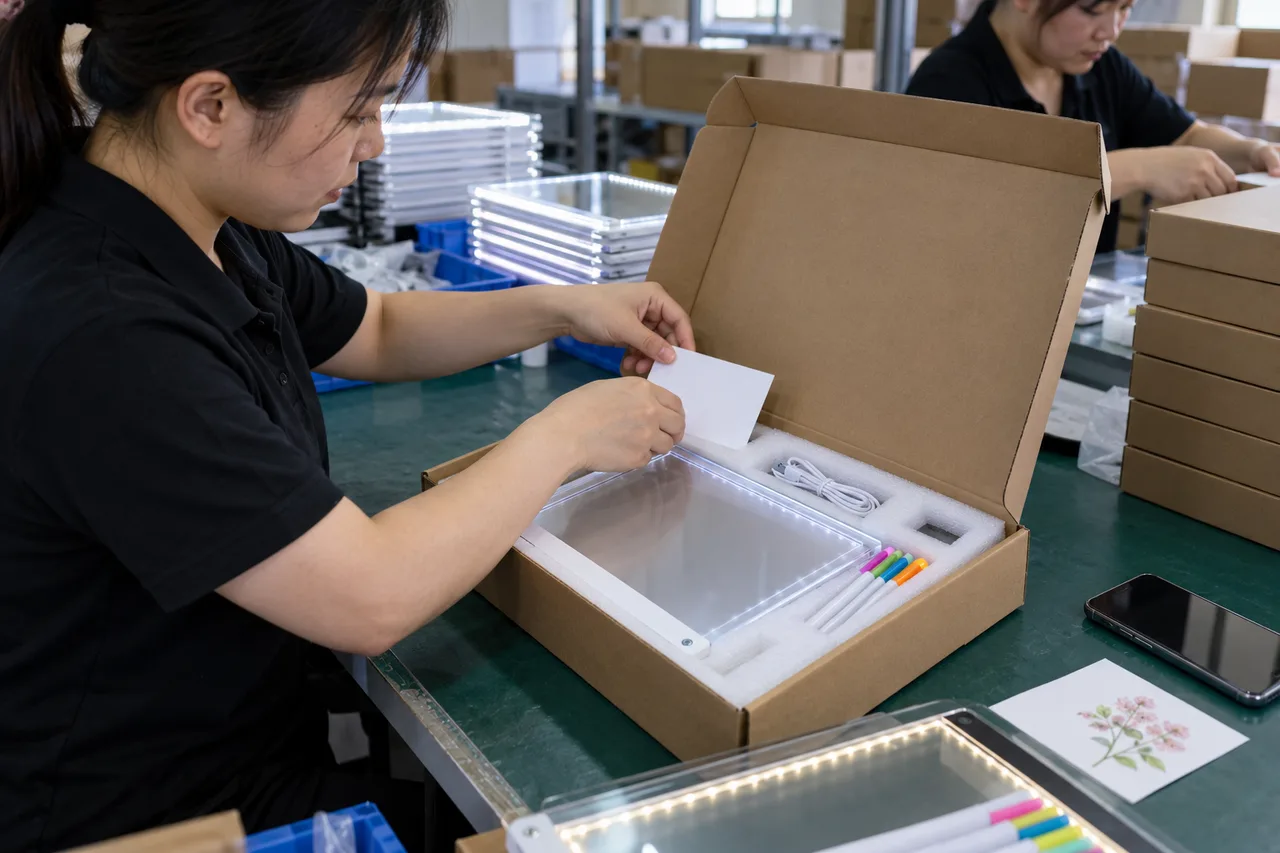
- Illustrative AI-generated photograph: Chinese packaging staff check how an instruction card fits into the retail pack.
- ALT text
- Chinese packaging staff placing a plain instruction card in an LED drawing board box
View AI image direction
Use case: photorealistic-natural. Asset type: editorial image for a LumDigi B2B LED drawing board article. Adult Chinese factory packaging staff position a small plain instruction card inside an unbranded carton with an acrylic LED drawing board and markers. A smartphone and sample card sit nearby. Candid realistic production preparation, no readable text or scannable code. Landscape 3:2, real acrylic textures, modest natural light, candid professional photography. If workers appear, they are Chinese/Asian adults. No invented logos, certification marks, readable documents, numerical test results, watermark, or text overlay. Show an illustrative procurement or sample-review scene, not proof of an actual test or shipment.
Turn the article into a practical sourcing brief
Use the checkpoints above to document the product, evidence, packaging, and approval decisions relevant to your market. A clear brief helps suppliers respond to the same commercial question and gives your team a traceable basis for the next step.
Useful external references
- UK: Toys (Safety) Regulations, instructions and warnings
Official example of requirements for information accompanying toys and warnings visible before purchase.
- GS1 Digital Link standards
Primary standards for using product identifiers in web addresses that link to information and services.
- European Commission: new Toy Safety Regulation timing
Official announcement stating that the new rules, including digital passports, apply from 1 August 2030.

LED Drawing Board Quick-Start Insert Guide for Private Label Buyers
A practical buyer guide for private-label brands, importers, and e-commerce sellers who need to develop a buyer-owned quick-start insert from the approved board, base, supplied items, market, and product information review process.
Read article
LED Drawing Board Multilingual Packaging Guide for Private Label
A B2B buying guide for private-label brands, importers, and packaging teams who need to review language versions against the approved product, packed set, artwork reference, and destination responsibilities.
Read article
GPSR Online Listing Information for LED Drawing Board Sellers in the EU
A B2B buying guide for EU importers, marketplace sellers, private-label brands, and distributor ecommerce teams who need to build a visible, version-controlled online-offer checklist from the exact product identity, economic-operator information, and applicable warnings.
Read article
Laser-Engraved vs Surface-Printed Acrylic Artwork: A Custom LED Board Buying Guide
A customization guide for brands choosing a permanent graphic method without confusing a sample effect with a guaranteed finished-product result.
Read article