Treat a banded clip as an observation, not a diagnosis
Stripes in a recording can arise from the interaction between changing light output and camera capture timing. Record the board, power setup, mode, camera and room lighting, then compare controlled clips. If a product-performance or flicker claim is at issue, obtain an appropriate technical assessment rather than approving or rejecting it from one phone video.
1. Describe what the camera shows before naming a fault
Describe whether the recording has moving bands, fixed lines, changing colour, whole-frame brightness variation or an unstable product state. These observations can have different causes. Keep what the viewer saw directly separate from what appears only in the captured image.
Start with the original clip and ask the operator to describe the scene without changing it. Was the room lit by overhead LEDs, daylight or a studio source? Was the board on a fixed setting or an automatic colour transition? Was the camera moving? Note whether the observer also noticed a change without looking through the camera. This does not replace a safety or performance evaluation, but it prevents a whole scene from being reduced to the statement that the product flickers. Preserve the original file before messaging platforms compress or alter it.
The Sony explanation of banding describes how light variation and sequential exposure can interact. Use that principle to frame an investigation, not to declare every striped clip harmless. A recording artifact, an unsuitable demonstration setup and an actual unit problem can coexist. If the product visibly resets, becomes damaged or behaves abnormally, follow its safety instructions and the supplier's support process. Do not keep operating a suspect unit just to collect a more dramatic video.
- Retain the original clip and scene description.
- Separate direct observation from camera-only effects.
2. Understand why capture settings can change the result
A camera does not necessarily expose every part of a frame at the same instant. If light output changes during capture, different parts can record different brightness. Changing capture timing can change the appearance of bands without changing the board itself.
Camera compatibility is not the same as measured light-output quality
Different phones, cameras, frame rates and shutter settings can produce different clips of the same scene. That is why a supplier's smooth video and a buyer's striped video are not automatically contradictory. Ask for the actual device and recording mode used in each case. Automatic settings can change when the composition or room light changes, so note them where the device exposes that information. A model name alone is incomplete when a camera offers several capture modes, stabilization settings or processing options.
The Sony reduction guide explains that shutter adjustments and available anti-flicker functions depend on the camera and conditions. Do not turn a suggested setting into a universal recipe for every USB LED board. A camera function intended for one lighting frequency may not address another source. For a buyer, the relevant lesson is to use a documented capture comparison and the camera's own guidance. Confirm the result in the saved recording, not only in a live monitor preview.
- Identify device, capture mode and available settings.
- Avoid universal shutter-setting promises.
3. Isolate the board from room-lighting effects
Compare the scene with the board on and off while keeping camera position and other lighting unchanged. Then investigate other light sources systematically where it is safe and practical. The aim is to identify the relevant variable, not to hide an inconvenient result.
A clear acrylic panel reflects its surroundings, so bands visible across the image may involve room lighting or a reflected source rather than only the board's LEDs. Record a neutral nearby surface as part of the frame and observe whether the pattern appears there too. Do not infer a particular electronic failure from the direction of a stripe. If switching a studio lamp or moving a reflection changes the recorded pattern, document that change and keep the original comparison available. A useful investigation retains evidence that could contradict the first explanation.
Use a simple sequence: record the original setup, identify lighting sources, change one relevant condition, save the next clip and label what changed. Keep the board's operating mode constant unless the mode is the variable under review. If daylight is used as a comparison, note that its level can change during the session. This is an application investigation, not a standardized laboratory procedure. The result helps determine what further evidence is needed and prevents an ordinary content-production decision from being described as a formal product certification.
- Keep position and operating mode stable.
- Change one relevant scene variable at a time.
4. Record power configuration and operating state
Identify the supplied cable, approved power source, battery state where applicable and selected lighting mode. A comparison of clips is useful only when the relevant operating conditions are known. Do not modify the electrical assembly or exceed its instructions to obtain a preferred image.
Ask the supplier which power arrangement belongs to the quoted model and demonstrate with that arrangement. Record whether an optional rechargeable version is involved rather than assuming every board includes a battery. If two candidates use different sources or modes, label the difference. A phone charger, computer port and unconfirmed accessory are not interchangeable simply because a plug fits. Use the offered model's ratings and instructions. The power-options guide provides a broader selection framework, while the current task is to make the recorded comparison reproducible.
Capture the control sequence leading to the recorded state, including any intended dimming or colour-changing function. An automatic transition can be mistaken for instability when the viewer does not know which mode was selected. Conversely, a fixed-mode request should not be answered with an edited clip that skips a reset or mode change. Show the whole product before moving to close-up detail. Keep any unexpected behavior and the support decision in the review record, with no claim that the filming exercise establishes electrical safety or long-term reliability.
- Use the approved supplied power arrangement.
- Document the actual control sequence and mode.
5. Build a useful supplier-to-buyer video comparison
Agree a modest recording brief that identifies the model, scene, camera, settings where available and actions shown. Retain original clips and include at least one continuous view of normal operation. The objective is honest, interpretable evidence, not a cinematic result that conceals uncertainty.
An illustrative brief could request a static whole-product view, a slow view of the drawing area and a demonstration of the relevant controls. Ask the operator to keep the original file, state the light sources and identify the power setup. If a second capture setting is tried, label it as a separate comparison rather than overwriting the first result. Avoid heavy compression, social filters and automatic enhancement when they make the original behavior difficult to assess. Where commercial media is also required, retain a separate technical-review copy before editing.
Use a table to compare clips without turning the table into a pass certificate. One row may establish that a camera setting changes the stripe pattern; another may leave the source of a visible reset unresolved. Ask a competent reviewer what evidence would distinguish the remaining possibilities. The photography checklist can organize the asset handover, but it should not replace technical assessment when the buyer is making a measured performance claim. Keep the investigation question visible so the team does not confuse a better-looking clip with a resolved engineering issue.
- Keep separate original and marketing versions.
- Label each changed condition.
| Comparison | Keep fixed | Record |
|---|---|---|
| Board on versus off | Camera and room setup | Where the bands appear |
| Two capture settings | Board and operating mode | Actual settings and saved files |
| Two approved power configurations | Camera and lighting | Exact source and cable identity |
6. Use editing for communication, not as proof of a product fix
Normal editing can prepare a representative commercial video, but removing a recorded artifact does not establish that the underlying cause was corrected. Preserve the investigation evidence separately and approve marketing claims only within the scope of suitable supporting information.
If a photographer finds a capture setup that gives an honest representative image, record it for future shoots. That practical solution can improve ecommerce content without being called an engineering modification. Do not label the board flicker-free, camera-proof or safe for every sensitive viewer because one camera records a smooth image. Such claims can have broader technical or health implications than the demonstration supports. Ask the responsible specialist to define any proposed measured statement, the relevant conditions and the evidence needed before the wording is published.
Likewise, do not use post-production to remove an unexpected product state and then present the file as an unedited sample test. If the commercial version shortens a sequence, label its purpose and retain the full review clip. Product photography should communicate the offered item accurately, including its actual mode selection and supplied accessories. A clear distinction between content production and technical validation protects both the supplier and the importer: each team can make a useful decision without pretending that its own workflow proves something outside its scope.
- Keep evidence clips separate from edited assets.
- Review broad flicker or health claims independently.
7. Know when the question needs technical assessment
Escalate when a performance requirement, repeated abnormal behavior or a specific flicker claim cannot be resolved through documented observations. Ask a qualified provider to choose appropriate measurement methods and acceptance criteria. A phone camera is not a calibrated universal flicker instrument.
Give the reviewer the actual product revision, power arrangement, selected modes, original clips and a precise question. If the concern is temporal light-output behavior, the provider should determine what quantities and measurement conditions are relevant. If the concern is a unit resetting or losing power, a different electrical investigation may be needed. Do not prescribe arbitrary thresholds from a camera screenshot or insist on a test name that does not match the intended assessment. Keep any destination or retailer requirement with the technical brief so the evidence answers the actual purchasing obligation.
Factory testing can confirm agreed observable functions, and shipment inspection can check the released configuration under an agreed plan. Neither should be described as a comprehensive flicker evaluation unless an appropriate method and evidence support that description. Retain the provider's report with the unit and revision references. If a later driver or mode program changes, ask whether the existing assessment still applies. This makes the review useful for repeat purchasing instead of treating a one-time video as permanent evidence for every version of the product.
- State the exact technical question.
- Use a competent provider for measured claims.
8. Conclusion: improve the evidence before deciding
A banded video should trigger a clear observation record and controlled comparison, not an immediate declaration that the board is defective or universally flicker-free. Separate scene lighting, capture behavior, operating configuration and product performance so each decision rests on appropriate evidence.
Before accepting a remote demonstration, ask whether another buyer could understand what was filmed and repeat the relevant comparison. They should know the mode, power arrangement, scene and camera conditions, and have access to the original file. If those facts are missing, request them before arguing over a compressed messaging clip. Document whether the result resolved a content-production problem, answered a functional question or left an engineering assessment open. That simple classification prevents a photographic workaround from becoming an unsupported product claim in the sales catalogue.
For a practical model discussion, view the Rocket LED Fluorescent Board and ask LumDigi to confirm the supplied configuration and an appropriate demonstration sequence. The Why Us page can support a discussion about quality approach, while the agreed sample record controls this particular review. Share the original observation and intended use of the video. A focused brief helps the supplier provide interpretable footage and identify when additional technical evidence is necessary before a bulk-order decision.
- Classify what the comparison actually resolved.
- Keep unsupported conclusions out of the product listing.
Frequently asked questions
Do moving stripes in a phone clip prove that the LED board is defective?
Not by themselves. Camera timing, room light and the board's operating mode can influence a recording. Preserve the original clip and document the setup. Unexpected product behavior still deserves investigation, so do not dismiss a concern solely because camera artifacts are possible.
Can one shutter speed solve banding on every board?
No. The camera, capture mode and light-output behavior differ. Use the camera maker's guidance and verify the saved result. Do not prescribe a universal setting or treat a smoother recording as proof that the product meets every technical flicker requirement.
Can a supplier remove stripes from a marketing video?
A representative commercial asset can be prepared with suitable capture and editing, but it should not be presented as unaltered technical evidence. Retain original review footage and document what changed. Editing alone does not establish that an electrical or optical cause was corrected.
What should an importer request when a retailer asks for a flicker statement?
Request a precise definition of the required claim, intended operating conditions and applicable assessment method from the responsible technical party. Obtain evidence for the actual product revision and configuration. A generic phone demonstration is not a substitute for an appropriate measured evaluation.
Image planning for this topic
These notes document the role and intended context of the two visuals used in this guide.
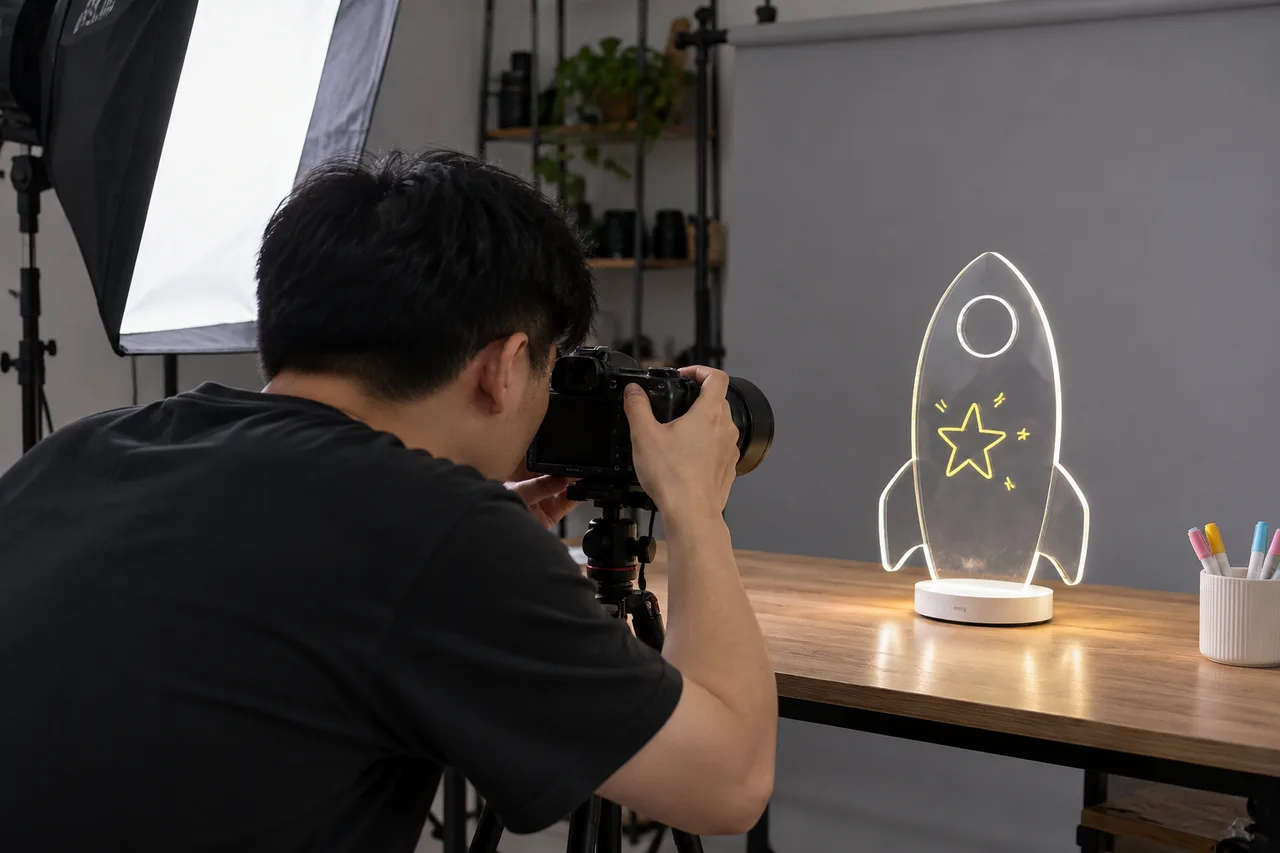
Prepare an honest product-video setup
- Placement
- hero
- Caption
- Illustrative AI-generated photograph: a photographer prepares to film a clear LED drawing board.
- ALT text
- Asian product photographer filming a clear rocket-shaped LED acrylic drawing board
View AI image direction
Use case: photorealistic-natural. Asset type: editorial photograph for a LumDigi B2B LED acrylic drawing board buying guide. A Chinese adult ecommerce photographer in a modest real studio films a transparent rocket-shaped LED fluorescent drawing board with a mirrorless camera on a tripod. A softbox is visible at the side, the board shows a simple hand-drawn fluorescent star, no dramatic neon. Camera monitor turned away, candid realistic photography. Landscape 3:2, real acrylic material texture and believable human anatomy, candid authentic commercial photography rather than a glossy AI render. Any employees are Chinese/Asian adults. No invented logos, watermarks, readable certificates, text overlays or numerical test results. This is an illustrative planning scene, not proof of an actual LumDigi test or customer project.
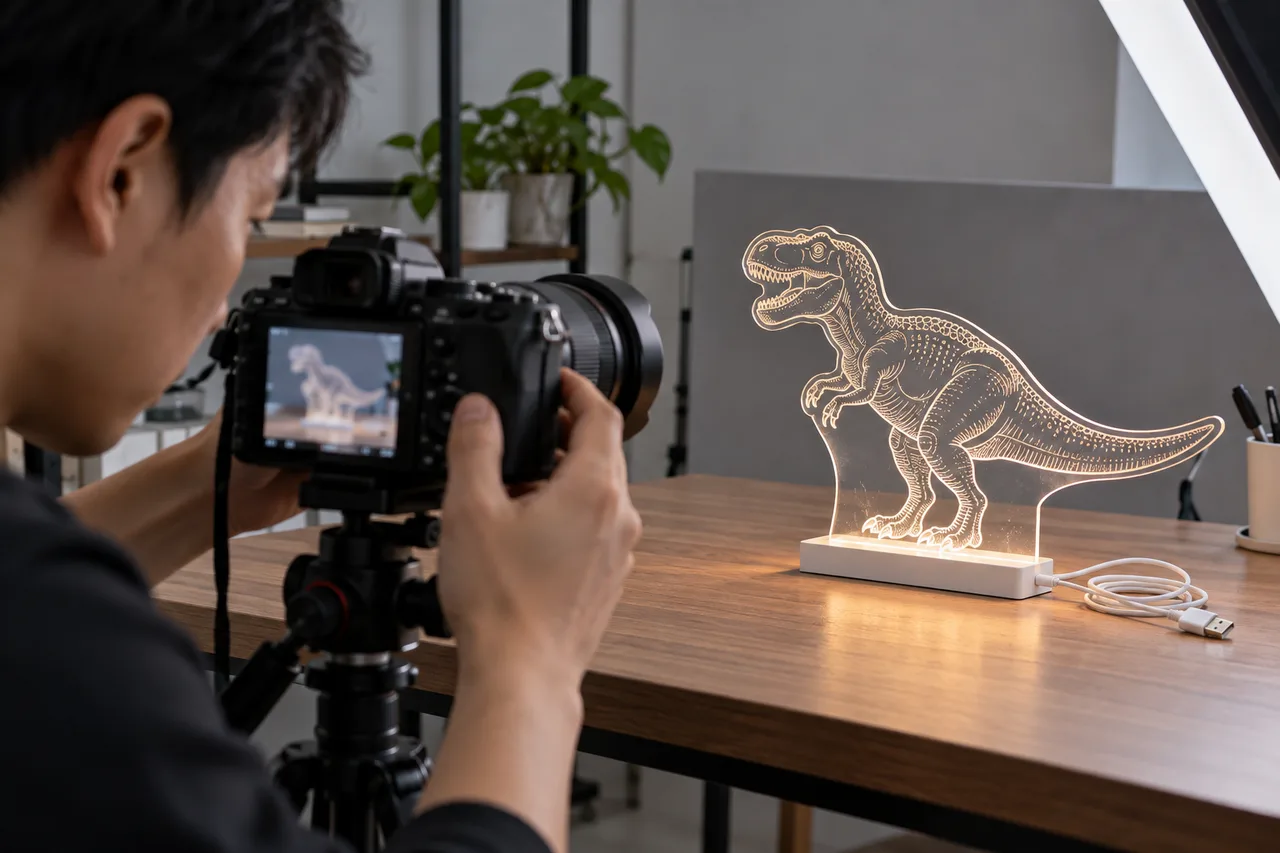
Document camera and power configuration
- Placement
- after-second-section
- Caption
- Illustrative AI-generated photograph: the camera, supplied cable and drawing board are reviewed together.
- ALT text
- Chinese sample reviewer adjusting a camera beside an LED board and supplied USB cable
View AI image direction
Use case: photorealistic-natural. Asset type: editorial photograph for a LumDigi B2B LED acrylic drawing board buying guide. Close-up side view of Chinese adult hands adjusting a real camera dial on a tripod, with a transparent dinosaur-shaped LED acrylic board and its plain USB cable clearly visible on the tabletop. Camera screen blurred, natural studio light. No fabricated banding graphic, graph, or numerical reading. Landscape 3:2, real acrylic material texture and believable human anatomy, candid authentic commercial photography rather than a glossy AI render. Any employees are Chinese/Asian adults. No invented logos, watermarks, readable certificates, text overlays or numerical test results. This is an illustrative planning scene, not proof of an actual LumDigi test or customer project.
Turn the article into a practical sourcing brief
Use the checkpoints above to document the product, evidence, packaging, and approval decisions relevant to your market. A clear brief helps suppliers respond to the same commercial question and gives your team a traceable basis for the next step.
Useful external references
- Sony: reducing flicker and horizontal banding
Camera maker's guidance on capture timing, settings and model-dependent anti-flicker features.
- Sony: why an image can show colour changes or banding
Primary explanation of interactions between varying light and sequential camera exposure.
LED Drawing Board Product Photography Checklist for B2B Launches
A practical B2B guide for retail teams, distributors, and brand owners preparing sales and marketplace assets who need to create a factual image set that lets a buyer understand the exact board, contents, light effect, packaging, and scale before asking for a quote.
Read article
Luminance, Illuminance, and Watts: How Buyers Should Compare LED Drawing Board Brightness
A technical buying guide for teams that need comparable brightness evidence rather than photographs or unrelated electrical ratings.
Read article
How Do I Troubleshoot Dim Lights, Flickering, or Hard-to-Erase Marks on a LED Drawing Board?
A practical buyer guide to LED drawing board troubleshooting decisions, with clear questions for product fit, specifications, proof, and everyday care.
Read article
Can Alcohol Clean an Acrylic LED Drawing Board? A Buyer Guide to Cleaner Approval and Crazing
A care-instruction and sample-review guide for importers investigating haze, fine cracks, and unsupported cleaning recommendations.
Read article